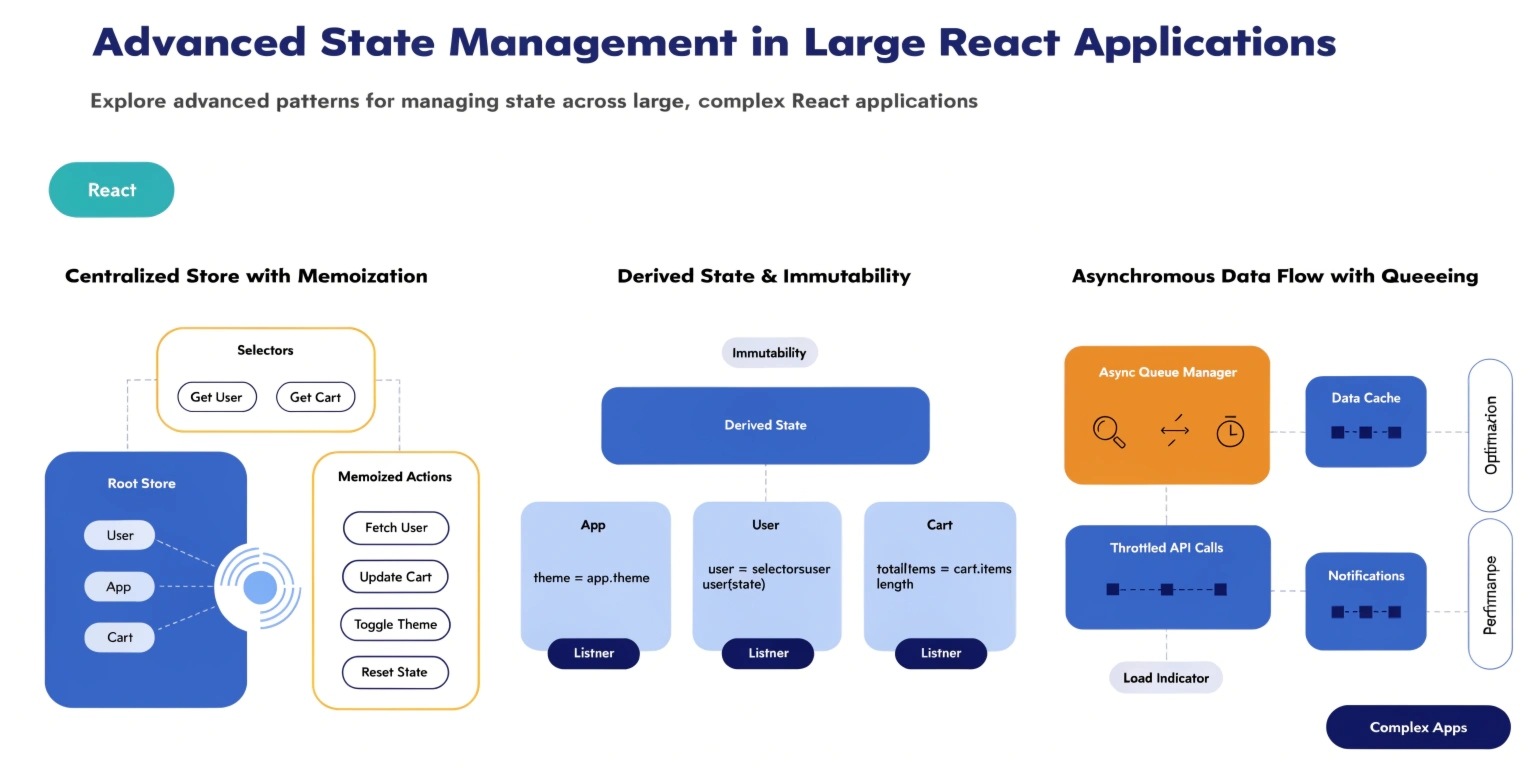
As React applications grow in size and complexity, managing state becomes one of the most critical architectural challenges. While small projects may rely on simple local component state using useState, large-scale applications require more structured and scalable solutions. Poor state management can lead to performance issues, difficult debugging, and tightly coupled components.
This article explores advanced state management strategies and tools used in large React applications to maintain scalability, maintainability, and performance.
Understanding the State Management Challenge
In small applications, state is often managed locally within components. However, as applications scale, several problems arise:
- Prop drilling across multiple component layers
- Synchronizing state between unrelated components
- Maintaining predictable data flow
- Avoiding unnecessary re-renders
- Handling asynchronous data updates
Without a proper strategy, the application can quickly become difficult to maintain.
Types of State in React Applications
Before selecting a state management solution, it's important to categorize the types of state in your application.
1. Local UI State
This state belongs to a specific component.
Examples:
- Modal visibility
- Form input values
- Toggle states
Typically handled using:
- useState
- useReducer
2. Global Application State
This state is shared across multiple components.
Examples:
- Authentication status
- User profile data
- Application theme
- Shopping cart data
This requires centralized state management.
3. Server State
Server state represents data fetched from APIs.
Examples:
- Product lists
- User data
- Dashboard analytics
Managing server state effectively often requires caching and synchronization strategies.
Redux Toolkit for Scalable Applications
Redux remains one of the most widely used state management solutions for large React applications. However, modern React development favors Redux Toolkit, which simplifies Redux implementation.
Advantages of Redux Toolkit:
- Standardized project structure
- Built-in support for immutable updates
- Simplified reducers and actions
- Excellent developer tooling
A typical Redux architecture includes:
- Slices for modular state logic
- Selectors for optimized state access
- Middleware for handling async logic
Example slice structure:
features/
auth/
authSlice.js
authSelectors.js
This modular structure helps large teams maintain consistent and organized codebases.
Context API for Lightweight Global State
React's built-in Context API can be used for lightweight global state needs. It works well for:
- Theme management
- Authentication
- Language settings
However, Context API has limitations when used for highly dynamic data because frequent updates can trigger unnecessary re-renders across components.
Best practice is to keep contexts small and focused rather than creating a single massive global context.
Zustand: A Modern Alternative
Many modern React teams are adopting Zustand for simpler state management.
Benefits include:
- Minimal boilerplate
- Excellent performance
- Easy state sharing
- Hooks-based API
Example:
const useStore = create((set) => ({
user: null,
setUser: (user) => set({ user })
}));
Zustand allows developers to manage global state with far less complexity compared to Redux.
Managing Server State with React Query
Server state requires different handling compared to UI state. Tools like React Query or TanStack Query are designed specifically for API data management.
Key advantages include:
- Automatic caching
- Background data updates
- Request deduplication
- Loading and error states
Instead of storing API responses in Redux, React Query allows components to fetch and cache data efficiently.
Example:
const { data, isLoading } = useQuery(['users'], fetchUsers);
This greatly simplifies data synchronization across the application.
Performance Optimization Techniques
Large React applications must also consider performance when managing state.
Avoid Unnecessary Re-renders
Use:
- React.memo
- useMemo
- useCallback
These help prevent unnecessary component updates.
Use Selectors
Selectors allow components to subscribe only to specific slices of state, reducing rendering overhead.
Example:
const user = useSelector(state => state.auth.user)
Normalize State Structure
Complex nested objects should be normalized. This improves update efficiency and simplifies data management.
Example:
Instead of:
posts: [{ id: 1, comments: [...] }]
Use:
posts: {
byId: { 1: {...} },
allIds: [1]
}
This structure prevents deep state mutations.
Architectural Best Practices
Large React applications benefit from clear architectural patterns.
Feature-Based Folder Structure
Instead of organizing by file type, organize by feature.
Example:
src/
features/
auth/
dashboard/
products/
Separate UI and State Logic
Components should focus on UI while state logic remains in dedicated stores or slices.
Use Custom Hooks
Encapsulate business logic using custom hooks.
Example:
useAuth()
useCart()
useUserProfile()
This improves code reuse and testability.
Conclusion
Advanced state management is essential for building scalable React applications. While simple projects can rely on local state, large systems require structured solutions such as Redux Toolkit, Zustand, and React Query.
By separating UI state, global state, and server state—and adopting modern architectural patterns—developers can maintain clean, maintainable, and high-performance React applications.
The key is not choosing a single tool, but combining the right solutions for each type of state within your application.