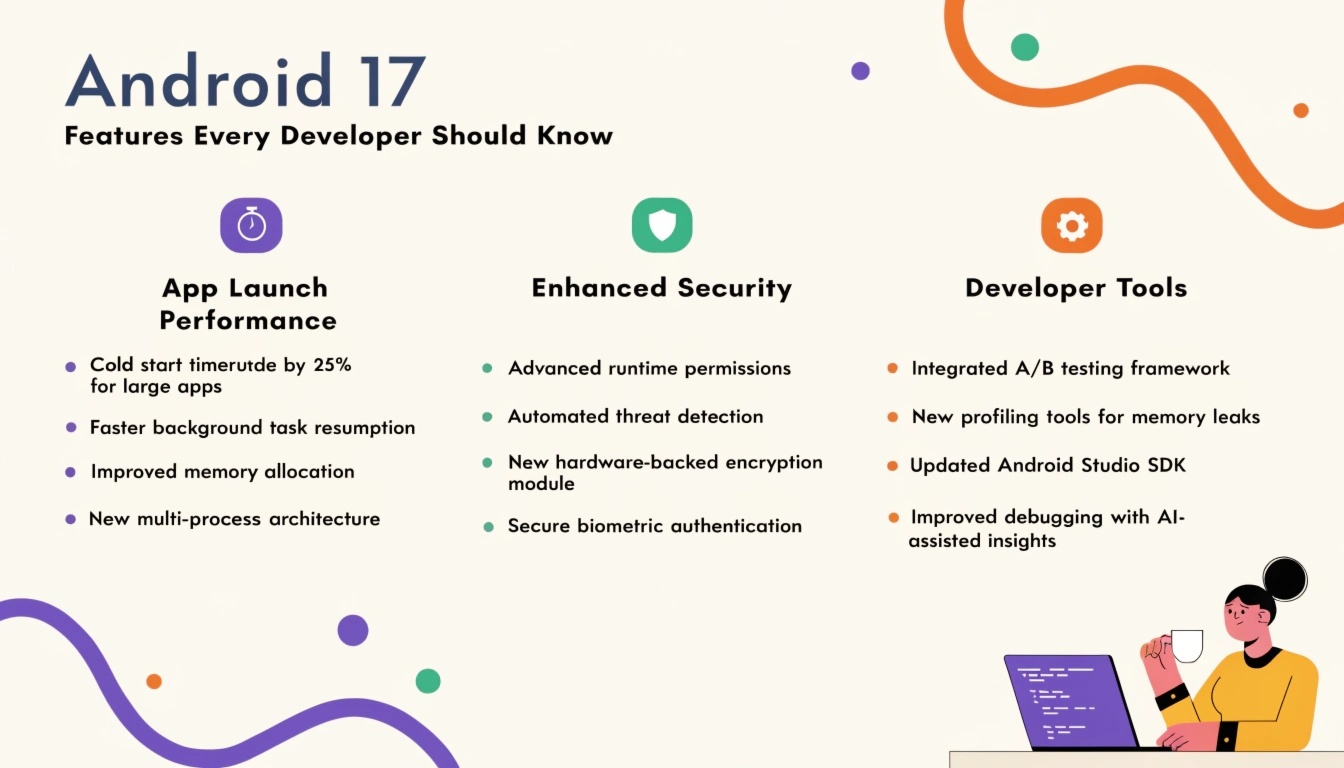
Android 17 Features Every Developer Should Know
Android continues to evolve with every release, offering developers powerful tools to create faster, smarter, and more secure applications. Android 17 brings a collection of enhancements focused on performance, artificial intelligence, security, privacy, and user experience. Whether you're maintaining existing applications or building new ones, understanding these features can help you stay competitive and deliver exceptional mobile experiences.
Let's explore the most valuable Android 17 features developers should start using.
1. Smarter AI Integration
Artificial Intelligence has become an essential part of modern mobile applications. Android 17 expands AI integration capabilities by offering improved APIs that allow developers to build intelligent features more efficiently.
Developers can implement:
- Smart content recommendations
- AI-powered text generation
- Image recognition
- Voice interactions
- Predictive user experiences
These built-in capabilities reduce development time while improving application intelligence.
2. Enhanced Privacy Controls
User privacy remains a major focus in Android 17.
New privacy improvements give users greater transparency over how apps access sensitive information.
Developers should pay attention to:
- Improved permission management
- Better background location restrictions
- Enhanced microphone and camera indicators
- More secure clipboard handling
- Stronger protection for personal data
Applications that respect these privacy guidelines are more likely to gain user trust.
3. Better Performance Optimization
Android 17 introduces several under-the-hood improvements that help applications run more efficiently.
Key enhancements include:
- Faster application startup
- Improved memory management
- Reduced battery consumption
- Better CPU scheduling
- Optimized background processing
Developers can achieve smoother performance without extensive code modifications by adopting the latest SDK recommendations.
4. Improved Jetpack Compose Support
Jetpack Compose continues to become the preferred UI toolkit for Android development.
Android 17 further improves Compose performance with:
- Faster rendering
- Better animations
- Improved state management
- Enhanced accessibility support
- Reduced recomposition overhead
Developers building modern Android interfaces should prioritize Compose for future projects.
5. Advanced Security Features
Security remains one of Android's highest priorities.
Android 17 introduces stronger protections against modern threats by improving:
- Application sandboxing
- Credential protection
- Secure authentication APIs
- Runtime security monitoring
- Encrypted communication
Developers should update authentication workflows to take advantage of these improvements.
6. Improved Background Task Management
Efficient background processing helps improve both performance and battery life.
Android 17 provides more intelligent scheduling for:
- Background services
- WorkManager tasks
- Notifications
- Data synchronization
- Scheduled jobs
These improvements help applications remain responsive while consuming fewer system resources.
7. Better Foldable and Large Screen Support
Foldable smartphones and tablets continue to gain popularity.
Android 17 improves support for adaptive layouts by introducing:
- Better window resizing
- Responsive UI APIs
- Multi-window enhancements
- Improved split-screen behavior
- Better continuity across devices
Developers can now build applications that automatically adjust to various screen sizes.
8. Enhanced Camera APIs
Applications that rely on photography or video recording benefit from updated camera capabilities.
Android 17 improves:
- Low-light image capture
- HDR processing
- Video stabilization
- Camera extensions
- Multi-camera functionality
These APIs enable developers to create professional-quality camera experiences.
9. Accessibility Improvements
Android 17 continues Google's commitment to accessibility.
Developers can build more inclusive applications using:
- Improved screen reader compatibility
- Better text scaling
- Enhanced gesture navigation
- Voice accessibility improvements
- Improved semantic UI components
Accessible applications serve a broader audience while complying with modern design standards.
10. Developer Productivity Enhancements
Android Studio and Android SDK updates work closely with Android 17 to improve developer efficiency.
Benefits include:
- Faster builds
- Better debugging tools
- Improved emulators
- Enhanced profiling
- More accurate performance monitoring
These tools simplify testing and reduce development cycles.
Best Practices for Android 17 Development
To maximize Android 17's capabilities, developers should:
- Update projects to the latest SDK.
- Follow Material Design guidelines.
- Use Jetpack libraries whenever possible.
- Adopt Kotlin-first development.
- Optimize battery consumption.
- Regularly test on multiple device sizes.
- Implement secure authentication.
- Monitor application performance continuously.
- Prioritize accessibility.
- Keep third-party libraries updated.
Following these practices ensures compatibility with the latest Android ecosystem while delivering a better user experience.
Why Developers Should Upgrade
Migrating to Android 17 allows developers to:
- Improve app speed
- Strengthen security
- Reduce crashes
- Enhance battery efficiency
- Deliver smarter AI experiences
- Improve UI responsiveness
- Support modern Android devices
- Increase user satisfaction
Keeping applications updated ensures long-term compatibility and better visibility on app marketplaces.
Conclusion
Android 17 represents another significant step forward for Android application development. Its combination of AI-powered capabilities, stronger privacy protections, enhanced security, improved performance, and better developer tools provides everything needed to create next-generation mobile applications.
Developers who begin adopting Android 17 early can take advantage of the latest APIs, deliver smoother user experiences, and future-proof their applications for upcoming Android devices. Staying current with platform updates not only improves app quality but also helps maintain a competitive edge in today's fast-moving mobile development landscape.