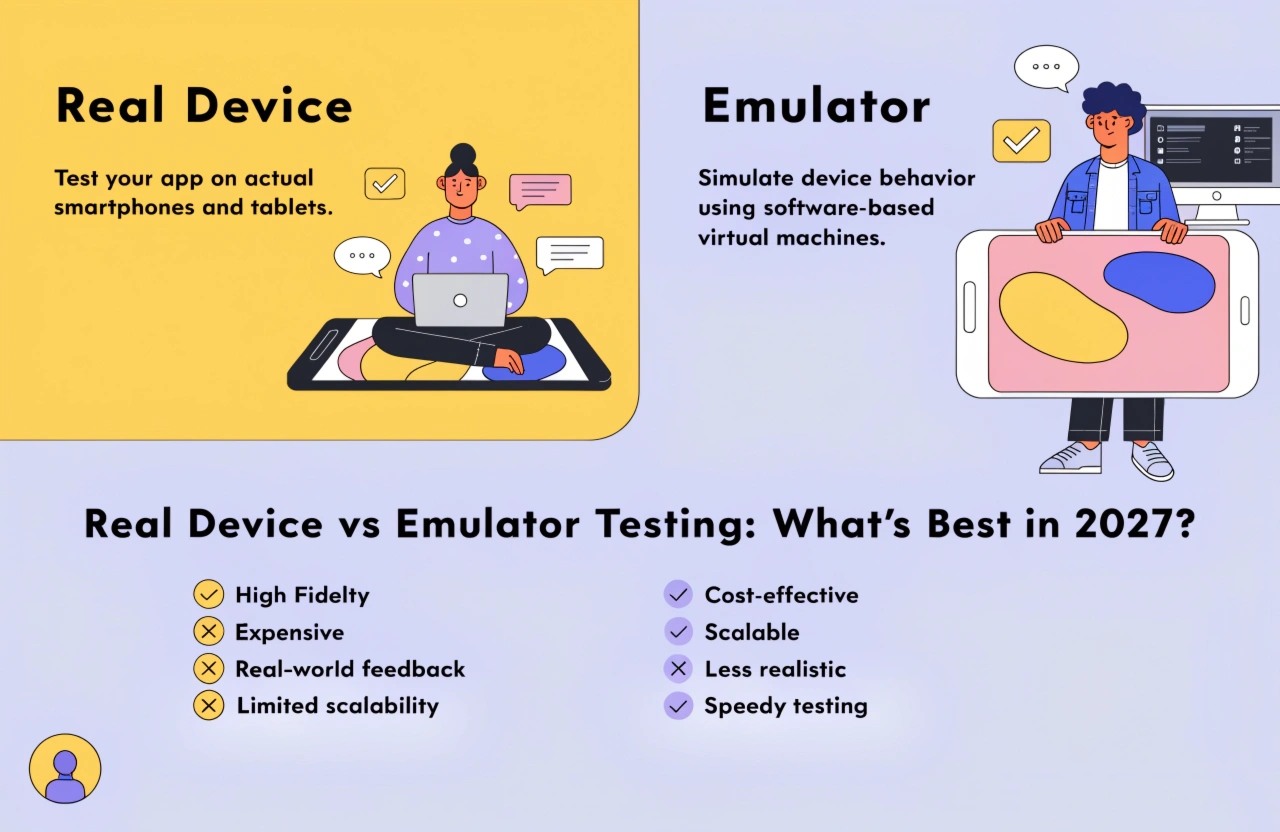
Real Device vs Emulator Testing: What's Best in 2027?
The mobile application industry continues to evolve rapidly in 2027. Users expect applications to launch instantly, perform flawlessly, and provide a seamless experience across thousands of smartphones, tablets, foldable devices, and wearable technologies. Meeting these expectations requires comprehensive testing before an application reaches production.
One of the biggest questions every development team faces is whether to use real device testing or emulator testing. Although both methods are essential, each serves a different purpose throughout the software development lifecycle.
Let's explore how each testing method works and determine the best testing strategy in 2027.
What is Emulator Testing?
An emulator is software that mimics the behavior of a physical mobile device. Developers can install and run mobile applications on their computers without needing an actual smartphone.
Android Studio Emulator, Apple's iOS Simulator, and various cloud-based virtual devices have become increasingly advanced, offering fast and efficient environments for development.
Advantages of Emulator Testing
1. Faster Development
Developers can instantly launch multiple virtual devices without physically connecting smartphones.
2. Lower Cost
Buying dozens of Android and iOS devices can be expensive. Emulators significantly reduce initial testing costs.
3. Easy Debugging
Developers can inspect memory usage, logs, CPU activity, network traffic, and crashes more easily than on physical devices.
4. Automated Testing
Continuous Integration (CI/CD) pipelines commonly execute automated UI and regression tests on emulators because they start quickly and require minimal resources.
5. Multiple Device Configurations
Different Android versions, screen sizes, RAM configurations, and resolutions can be tested without owning every device.
Limitations of Emulator Testing
Despite continuous improvements, emulators still cannot perfectly replicate physical hardware.
Some limitations include:
- Inaccurate battery consumption testing
- Limited GPU rendering accuracy
- Camera behavior differs from actual devices
- GPS simulation isn't always realistic
- Sensor testing remains limited
- Network latency behaves differently
- Performance benchmarks aren't completely reliable
These gaps become more significant for gaming apps, augmented reality applications, and hardware-intensive software.
What is Real Device Testing?
Real device testing involves installing applications directly onto physical smartphones, tablets, foldable devices, and wearables.
This method provides the closest possible experience to what actual users encounter after downloading the app.
Advantages of Real Device Testing
1. Accurate Performance Results
Real devices reveal actual CPU usage, memory consumption, battery drain, startup time, and frame rates.
2. Better User Experience Testing
Developers can evaluate gestures, touch responsiveness, animations, brightness adaptation, haptic feedback, and accessibility features exactly as users experience them.
3. Hardware Compatibility
Applications interact with real:
- Camera
- GPS
- Accelerometer
- Gyroscope
- Bluetooth
- NFC
- Biometrics
- Fingerprint sensors
- Face Unlock
- Microphone
- Speakers
These cannot always be fully replicated inside emulators.
4. Network Testing
Applications can be tested on:
- 5G
- 6G
- Wi-Fi
- Weak mobile signals
- Airplane mode
- VPN connections
This helps identify connectivity-related bugs before release.
5. Better Security Validation
Authentication methods, secure storage, biometric login, and encrypted communications perform differently on real hardware.
Challenges of Real Device Testing
Although highly reliable, real device testing comes with certain challenges.
Higher Costs
Organizations must purchase and maintain multiple Android and iOS devices covering different manufacturers and operating systems.
Device Management
Updating operating systems, replacing damaged devices, charging batteries, and organizing test labs require additional effort.
Slower Test Execution
Compared to virtual devices, setting up physical hardware takes longer.
AI is Transforming Testing in 2027
Artificial Intelligence has significantly changed software testing.
Modern AI-powered testing platforms automatically:
- Detect visual bugs
- Predict application crashes
- Generate automated test cases
- Analyze user behavior
- Prioritize critical defects
- Perform self-healing automation
- Optimize regression testing
AI now works with both emulators and real devices, improving test coverage while reducing manual effort.
Cloud Device Farms
Instead of maintaining hundreds of smartphones internally, many organizations now rely on cloud device farms.
These platforms provide instant access to thousands of real Android and iOS devices over the internet.
Benefits include:
- Large device coverage
- Parallel testing
- Global accessibility
- Faster release cycles
- Lower infrastructure maintenance
This has made real device testing more accessible than ever before.
Which One is Better in 2027?
The answer is neither one alone.
Successful development teams combine both testing approaches.
Use Emulator Testing For
- Early development
- Debugging
- UI validation
- Unit testing
- Continuous Integration
- Automated regression testing
Use Real Device Testing For
- Final quality assurance
- Performance testing
- Battery optimization
- Camera features
- GPS validation
- Biometric authentication
- Gaming performance
- User acceptance testing
- Security testing
This hybrid approach delivers faster development while ensuring the application performs well under real-world conditions.
Best Practices for Modern Mobile Testing
To maximize application quality in 2027:
- Begin testing early in the development process.
- Automate repetitive test cases.
- Test on both Android and iOS platforms.
- Include multiple screen sizes and operating system versions.
- Perform accessibility testing.
- Validate performance under different network conditions.
- Use AI-assisted testing tools to improve efficiency.
- Test on real devices before every production release.
- Monitor application performance after deployment.
- Continuously update testing strategies as new devices enter the market.
Conclusion
As mobile technology continues to advance in 2027, relying solely on emulators or only physical devices is no longer sufficient. Emulator testing offers speed, affordability, and convenience during development, while real device testing provides accurate insights into performance, hardware compatibility, security, and user experience.
The most effective mobile testing strategy combines both approaches. By leveraging AI-powered automation, cloud device farms, and a balanced testing process, organizations can deliver reliable, high-performing applications that meet user expectations across today's diverse mobile ecosystem.